Robotic Lawn Mower for 1 Acre: The Complete How-To
A practical step-by-step guide to selecting, installing, programming, and maintaining a robotic lawn mower for a 1-acre yard. Learn site planning, boundary setup, scheduling, safety, and long-term care with expert tips from Mower Help.


This guide helps homeowners choose and use a robotic lawn mower tailored for a 1-acre yard. It covers planning, boundary installation, dock placement, scheduling, and maintenance, plus safety tips and common pitfalls to avoid. Expect a step-by-step path from site assessment to ongoing care, with practical checks at every stage.
Why a robotic lawn mower for 1 acre makes sense
A robotic lawn mower designed for medium to large suburban yards can save you significant time and reduce noise compared with push mowers. For a 1-acre property, the right model offers strong battery life, a wide cutting width, robust boundary options, and reliable app-based controls that simplify scheduling. The Mower Help team notes that thoughtful selection—considering lawn topography, plantings, and access—leads to better mowing consistency and fewer manual touch-ups. When installed and maintained properly, a capable robotic mower can operate quietly overnight, provide uniform coverage, and free up weekends for other outdoor projects. Keep in mind that one acre is a sizable area where slope, obstacles, and boundary accuracy matter most, so invest in a model and setup that emphasize grid-planning, weather resilience, and straightforward diagnostics.
Key features to look for in a robotic mower for 1 acre
- Large battery capacity and efficient motors to cover more ground per charge
- Wide cutting deck and adjustable height for varied grass
- Reliable boundary wire compatibility and smart zoning options
- App-based programming, real-time status, and remote diagnostics
- Weather resistance and safety systems to handle rain and pets
- Good support ecosystem from the brand and clear warranty terms
The Mower Help analysis, 2026, highlights that homeowners benefit from models with predictable scheduling, solid support, and straightforward maintenance schedules. In practice, you want a mower that can finish a full perimeter loop without frequent recharges, while still handling hills and obstacles with confidence. When selecting a model, compare runtime per charge against your yard size and consider upgrade paths if you anticipate future expansion or seasonal demands.
Site planning and yard assessment for a 1-acre plot
Begin with a detailed map of your property, noting slopes, trees, flower beds, and hardscape. Identify the flattest routes for most mowing and plan alternative corridors for steep sections. Check the mower’s turning radius and obstacle clearance to ensure it can navigate around raised beds, fountains, and lawn ornaments. Consider drainage patterns that may affect mud or washout, and choose a dock location that is accessible yet protected from direct weather exposure. Finally, confirm that the chosen boundary line and any virtual fences align with property lines and local regulations. This upfront planning reduces days of re-work later and minimizes the chance of turf gaps or missed areas.
Installing boundary wire and virtual boundaries
Install a perimeter boundary wire around the main lawn and extend into zones with unique mowing needs. Use stakes and connectors to secure the wire at regular intervals, then lay the wire along edges where pets or children frequent. Add boundary flags during the initial test run to visualize the restricted zones and protect flower beds or garden areas. For complex terrains, consider secondary loops to handle slopes or narrow corridors. After running a dry fit, connect the wire to the mower’s boundary kit and run a test cycle, listening for stable signal and confirming no major tangles or loose connections. This groundwork prevents multiple field recalibrations later.
Dock location, charging, and connectivity considerations
Choose a dock site that has solid footing, good sun exposure for solar charging if applicable, and convenient access for maintenance. Clear at least 2-3 feet of clearance around the dock and ensure the charging contact points are unobstructed. If your property has limited weather protection, build a simple shelter or install a weatherproof cover to extend dock life. Link the mower to a stable Wi-Fi or cellular connection if the model supports remote monitoring. Regularly check the dock and charging contacts for corrosion, and replace worn parts promptly to avoid charging interruptions during peak mowing seasons.
Scheduling, zones, and mowing patterns for a 1-acre yard
Program your mower to tackle different zones based on grass height, irrigation, and shade. Use the app to set a primary mowing window (for example, early morning or late evening) and allocate shorter, more frequent sessions on hot days to prevent scalping. If your yard includes slopes or irregular shapes, enable adaptive mowing patterns or split the area into zones with separate schedules. Hydration and fertilization plans can influence mowing frequency, so align settings with your lawn care routine. Regularly review with Mower Help’s recommendations to optimize coverage and reduce detours around obstacles.
Maintenance routines to keep performance high
Establish a monthly maintenance cadence: inspect blades, clean debris from the deck, check wheel bearings, and verify boundary wire integrity. Replace dull blades promptly to maintain a clean cut and prevent turf damage. Keep the charging dock and sensors free of dirt, and update firmware when prompted to ensure the latest optimization. A quarterly check of the weather seals and motor vents helps prevent moisture intrusion. If you notice reduced runtime, inspect the battery and consider a health check from the manufacturer’s service channel. Consistent maintenance preserves cutting quality and extends mower life.
Safety considerations and common pitfalls to avoid
Always remove people and pets from the mowing area during initial tests, and teach family members about boundary rules. Do not override safety interlocks or remove protective covers while the mower is powered. Beware steep slopes that exceed the unit’s safe climbing grade; in these areas, manual mowing or a tested mower with higher torque may be required. A common pitfall is underestimating the importance of wire layout around landscaping features; poor layout causes missed zones or frequent boundary breaches. Regularly verify signal strength and recalibrate after turf renovations or seasonal changes to prevent gaps and ensure reliable operation.
Troubleshooting and getting the most from your 1-acre robotic mower
If the mower stalls or refuses to start, check the charging status, boundary signal, and blade condition. For poor cut quality, evaluate blade sharpness and deck cleanliness, as well as mower height settings. Boundary errors can be caused by loose connections or signal interference; temporarily reposition the dock or adjust wire tension to restore proper boundary detection. For consistent weather-related issues, adjust the mowing schedule to avoid wet conditions that can clog blades or slip on damp turf. When in doubt, consult the manufacturer’s diagnostic guide or contact Mower Help support for tailored troubleshooting steps.
Long-term care, upgrades, and planning for the future
As your landscape evolves, you may need to adapt the mower’s zones and wire layout. Consider upgrading to a model with enhanced sensors, GPS-assisted mapping, or improved battery efficiency to extend coverage per charge. Keep records of maintenance, blade replacements, and firmware updates to simplify future upgrades. The Mower Help team recommends periodic reviews of your 1-acre mowing strategy to ensure continued reliability through seasonal shifts and yard renovations.
Tools & Materials
- Robotic lawn mower unit(Main mowing device with suitable cutting width for 1 acre)
- Charging dock(Stable, level surface with clear access)
- Boundary wire kit(Low-voltage wire and basics for perimeter)
- Boundary stakes and wire clips(Secure wire neatly around edges)
- Boundary flags(Visual markers for setup and testing)
- Smartphone/tablet with mower app(For programming and monitoring)
- Spare cutting blades(Keep on hand for quick changes)
- Blade wrench/driver(Tool for blade maintenance)
- Measuring tape or laser measure(Layout and zone sizing)
- Weatherproof cover or shelter(Protects dock from weather)
- Safety gloves and eye protection(Personal safety during setup)
- Waterproof outdoor extension cord (if needed)(Access power where outlets are distant)
Steps
Estimated time: 2-6 hours
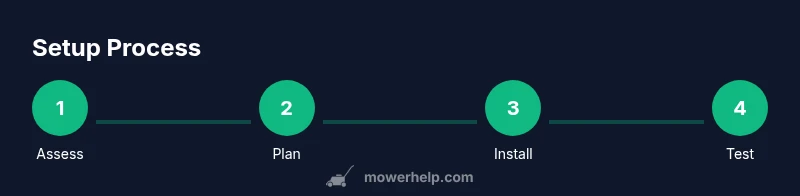
- 1
Assess yard and select mower
Survey your 1-acre site, note slopes, shade, and obstacles. Compare battery life, cutting width, and safety features to determine the best fit for your landscape. Confirm compatibility with boundary systems and app controls.
Tip: Choose a model with at least 25-40% more battery capacity than the minimum computed for your yard. - 2
Plan dock and boundary layout
Decide on a dock location that's accessible for maintenance and sheltered from heavy rain. Outline boundary wires around the perimeter and around sensitive areas, marking clear entry/exit points.
Tip: Create a rough map first, then translate to wire layout to minimize crossings and signal loss. - 3
Install boundary wire and flags
Lay the boundary wire along the planned perimeter, securing with stakes. Place boundary flags to visualize restricted zones and test the signal path before final connections.
Tip: Keep wire at least 1-2 inches underground where possible to prevent tripping hazards and accidental damage. - 4
Install dock and connect power
Position the dock on firm ground with level alignment. Plug in power and ensure the charging contacts align with the mower’s charging points. Run a dry test without blades to verify the docking sequence.
Tip: Ensure there’s enough clearance around the dock for easy maintenance. - 5
Program schedules and zones
Use the mower app to set mowing windows, zone priorities, and cut height. If your yard has slopes, split into zones and assign separate schedules for even coverage.
Tip: Begin with conservative times and gradually optimize as you observe performance. - 6
Calibrate and test run
Do a controlled test run in a safe area to ensure boundary recognition, fold-back around obstacles, and proper blade operation. Observe for any missed sections or odd boundary breaches.
Tip: Watch the mower’s first full pass closely and adjust boundary distance if needed. - 7
Establish maintenance routine
Set a monthly schedule for blade checks, deck cleaning, and sensor cleaning. Check battery health and firmware updates quarterly or as recommended.
Tip: Record maintenance dates to create a simple care log. - 8
Safety and user education
Explain boundary rules to household members and pets. Never handle the mower while blades are exposed or powered. Store spares and tools safely.
Tip: Post boundary markers in visible places until you’re confident in the setup. - 9
Seasonal care and future upgrades
Review the layout as landscaping changes. Plan for new zones or higher-capacity models if your acreage grows. Keep spare parts handy and stay current with updates from the manufacturer.
Tip: Schedule annual reviews to adapt to yard changes.
Got Questions?
Can a single robotic mower handle 1 acre without zones?
Most 1-acre properties benefit from at least two mowing zones or a carefully planned boundary layout. This helps manage slopes, obstacles, and charging needs. Always check the mower’s official guidelines for area limits and zone features.
For an acre, plan zones or a strong boundary layout. Check the manual for area limits.
What maintenance frequency does a 1-acre robotic mower require?
Expect blade checks monthly, deck cleaning every couple of weeks during heavy growth, and quarterly battery and firmware checks. Regular maintenance prevents performance drop and extends the mower’s life.
Blade checks monthly and firmware updates quarterly are good practice.
Do I need a Wi‑Fi connection for a 1-acre setup?
Many models use Bluetooth for local control, while others require Wi‑Fi for remote monitoring and updates. If you want full app-based scheduling and diagnostics, choose a model with reliable connectivity.
Some models use Bluetooth; others need Wi‑Fi for remote monitoring.
How should I position the charging dock on uneven ground?
Place the dock on level, hard-packed soil or a stable platform. A forklift-friendly surface reduces vibrations and ensures reliable charging.
Keep the dock level and stable for best charging results.
What safety steps are essential before the first run?
Clear the area of pets, toys, and loose debris. Test the boundary, then observe the initial passes to ensure no collisions or boundary breaches occur.
Remove hazards and test the boundary before the first run.
Can I upgrade an existing boundary system later?
Yes, most systems support boundary wire extensions or zone reconfigurations. Plan ahead to minimize rework and ensure compatibility with future models.
Upgrading is possible, but plan ahead for compatibility.
Watch Video
The Essentials
- Plan boundary layout before installation.
- Choose a model with sufficient runtime for your acreage.
- Program zones and schedules for consistent coverage.
- Maintain blades and batteries for reliability.
- Prioritize safety and test thoroughly before full use.