How to Replace a Lawn Mower Battery
Step-by-step instructions to replace a lawn mower battery safely: choose the right replacement, disconnect cables correctly, install with correct polarity, test start-up, and maintain battery health for longer mower life.


Today you’ll learn how to replace a lawn mower battery safely and effectively. You’ll identify the correct battery type, disconnect the old battery, install the new one, reconnect terminals correctly, and test the mower. The guide also covers safety precautions, common pitfalls, and disposal options so your mower starts reliably again.
Safety First when Replacing a Lawn Mower Battery
Safety should always come first. Wear safety glasses and gloves; work in a well-ventilated area away from fuel; avoid sparks around the battery. Modern mower batteries can contain sulfuric acid in flooded cells, so handle with care and upright to prevent leaks. Before you begin, unplug any charging equipment and ensure the engine is off. According to Mower Help, following proper safety steps reduces the risk of burns, acid exposure, and electrical shorts, and it protects your mower's warranty.
Identify the Right Replacement Battery
Most walk-behind mowers use a 12-volt lead-acid battery, but models vary. Check the label on the existing battery or consult the mower's manual to confirm voltage, size, and terminals. Look for the correct terminal layout (positive and negative posts), the hold-down bracket type, and the connector size. If you replace with a battery that doesn't match, you may get weak starts or connector corrosion. The Mower Help team notes that matching voltage and terminal configuration is critical for performance.
Tools and Materials You’ll Need
Prepare a tidy workspace and gather essential tools: a pair of insulated gloves, safety glasses, a socket or wrench to fit the battery terminals, a flat-head screwdriver (if your hold-down bracket uses slots), a terminal brush or old toothbrush for cleaning corrosion, and a clean rag. If your mower uses a heavy battery, consider a small tray or a friend to help. Having these ready reduces interruptions and keeps the replacement process smooth. (Note: this section aligns with the gear listed in our Tools & Materials block.)
Prepare the Battery Tray and Disconnect Power
Open the battery compartment, inspect the tray for corrosion, and make sure there is no fuel nearby. If the battery is stuck, gently free it with a plastic tool; avoid metal tools that could spark. Begin by disconnecting the negative terminal to minimize the risk of short circuits. Keep metal tools away from the battery posts and wipe up any spills immediately with baking soda solution if needed.
Remove the Old Battery
Loosen the hold-down bracket, lift the old battery straight up from the tray, and place it on a non-conductive surface. Inspect the cables for wear or fraying and note how they were connected so you can replicate the setup with the new unit. Handle the old battery carefully as it can be heavy and contain corrosive material. This step also provides an opportunity to clean the tray and check for obvious damage.
Install the New Battery
Place the replacement battery into the tray, align terminals with posts, then connect the positive terminal first, followed by the negative. Tighten the hold-down bracket to secure the battery. Wipe away any spilled acid with baking soda and water if necessary. Ensure the battery sits squarely in the tray and cannot shift during operation.
Final Checks and Battery Care
Reconnect any cables or accessories, ensure all connections are tight and clean, and try starting the mower briefly. If it doesn’t start, re-check connections and allow the battery to charge for several hours. Recycle the old battery at a local recycling center; many auto parts stores accept lead-acid batteries. With proper care and storage, you’ll extend the life of your replacement and reduce future maintenance headaches.
Tools & Materials
- Safety glasses(ANSI-rated; protect eyes from acid splashes)
- Insulated gloves(Protection from acid and sparks)
- Socket wrench or screwdriver(Fits battery terminals)
- Terminal brush or old toothbrush(For cleaning corrosion)
- Rag or paper towels(For drying and wiping spills)
- Anti-corrosion spray or dielectric grease(Coats terminals to prevent future corrosion)
- Battery tray or organizer(Helps hold battery during replacement)
- New lawn mower battery (12V typical)(Match model and voltage to mower)
- Baking soda and water(Neutralizes acid spills)
Steps
Estimated time: 15-25 minutes
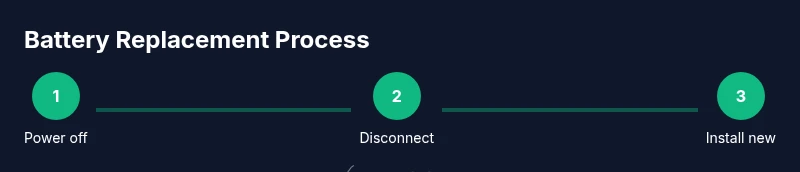
- 1
Power off and secure the mower
Turn off the engine, remove the ignition key or switch, and engage wheel chocks if available. This prevents accidental starts while you work and keeps you safe around moving parts.
Tip: Double-check that the mower is truly off before touching any wiring. - 2
Locate the battery
Open the battery compartment and identify the battery tray, hold-down bracket, and cable runs. Take a quick photo or sketch of wire routing to help during reassembly.
Tip: If you’re unsure of model compatibility, consult the manual or a local dealer. - 3
Disconnect the negative terminal
Using the correct wrench, loosen the clamp and detach the negative (usually black) lead first to minimize short circuits.
Tip: Keep the wrench away from the battery post to avoid accidental contact with the positive terminal. - 4
Disconnect the positive terminal
Loosen and remove the positive (red) terminal. Do not allow the wrench to bridge the two posts.
Tip: Place the disconnected terminal on a non-conductive surface while you work. - 5
Remove the old battery
Lift the old battery from the tray with proper lifting technique and set it on a safe, non-conductive surface.
Tip: If it’s heavy, ask for help to avoid strains or injuries. - 6
Install the new battery
Place the new battery into the tray with the same orientation as the old one, align terminals with posts, and prepare to connect.
Tip: Do not tilt the battery; keep it upright to prevent leaks. - 7
Reconnect terminals in the correct order
Connect the positive terminal first, then the negative. Tighten clamps securely but avoid over-tightening.
Tip: Apply a small amount of dielectric grease to the terminals to deter corrosion. - 8
Secure and test
Re-secure the hold-down bracket and cables, then start the mower to verify the replacement works correctly.
Tip: If the engine doesn’t crank, re-check all connections and ensure the battery is charged.
Got Questions?
Can a lawn mower run without a battery?
Some models may operate without a battery if powered directly, but most require a battery to start and regulate electrical systems. Using the wrong setup can cause starting failures or electrical issues.
Some mowers can run without a battery in certain setups, but most require one to start properly and regulate the electrical system.
Should I charge the new battery before installing?
Yes. Charge the new battery according to the manufacturer’s instructions before installation to ensure optimal performance and to avoid initial crank failures.
Yes. Charge the new battery per the manual before installation to ensure the best performance.
How can I tell if the battery is AGM or flooded?
Check the battery label or manual. AGM batteries are sealed and maintenance-free, while flooded types may require water top-ups. If unsure, contact the mower maker or retailer.
Look at the label; AGM is sealed and maintenance-free, flooded requires maintenance. When in doubt, ask the manufacturer.
What should I do with the old battery?
Take the old battery to a recycling center or a retailer that accepts lead-acid batteries. Do not throw it in the trash due to hazardous materials.
Recycle the old battery at a designated facility; don’t throw it in the trash.
Is it safe to mix old and new batteries?
No. Mixing old and new batteries can cause unequal charging and reduce overall performance. Replace as a pair to ensure even capacity.
Don’t mix old and new batteries; replace them together for best results.
Watch Video
The Essentials
- Match battery type and voltage before buying
- Disconnect negative terminal first when removing
- Install positive terminal first when wiring
- Secure the battery and clean terminals after installation
- Recycle old batteries responsibly